Starting a new B2B store: Where to begin? A Shopware checklist
A new B2B store does not begin with design. This checklist covers processes, data, Shopware, integrations, sales enablement, self-service, and rollout.

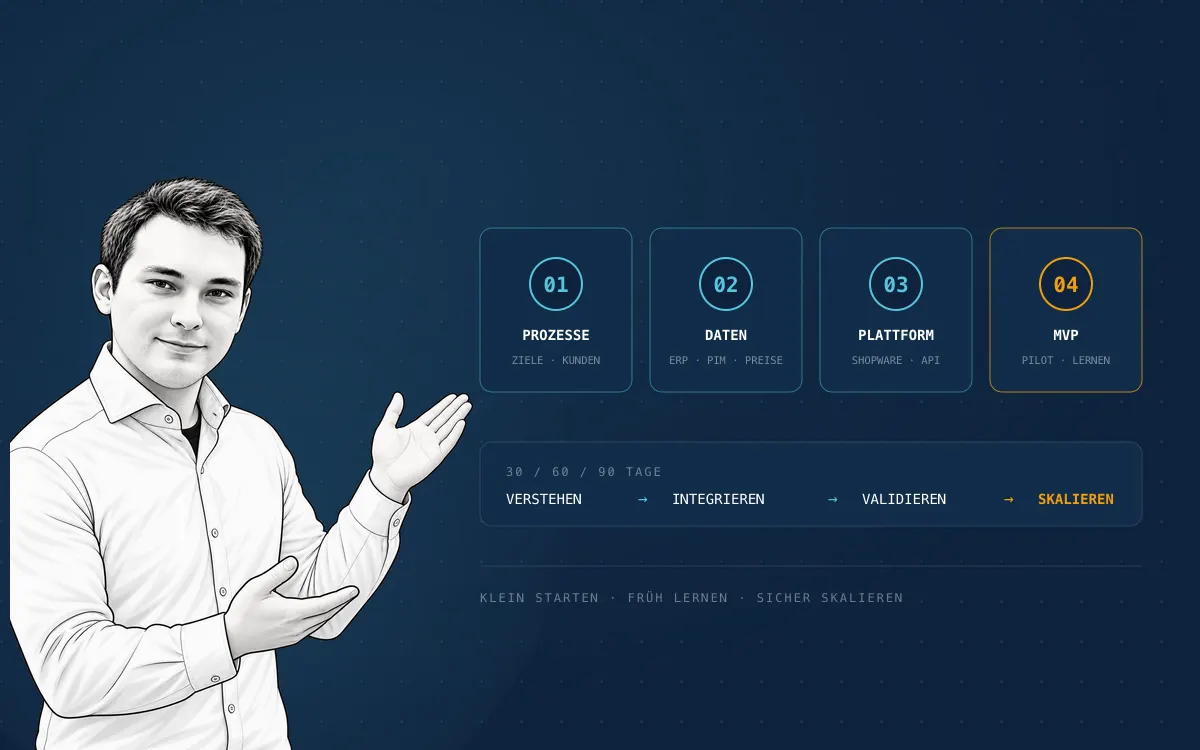
A new B2B store does not start with design or a specification document. It starts with a clear business goal, real customer processes, and an early Shopware foundation on which data, prices, and the ERP integration are tested with real examples. The ambitious vision then becomes a manageable MVP with pilot customers instead of a big-bang go-live.
Because a new B2B store is expected to personalize prices, automate orders, relieve sales teams, and integrate seamlessly with ERP, PIM, and CRM systems. The first workshop therefore tends to produce a long list: customer groups, approvals, budgets, quotes, quick orders, shipping addresses, payment terms, customer-specific assortments, and much more.
This is precisely where many projects stall. Where should a team begin when almost every process appears important and many dependencies are still unknown?
The most important recommendation is: Start working with the commerce platform early instead of waiting until every requirement has been documented in full. This does not mean launching an unfinished store. It means creating a robust Shopware foundation as early as possible so that processes, data, and integrations can be tested with real examples.
This article explains how to structure a B2B commerce project, which decisions should be made first, how customer self-service reduces repetitive sales work, and how to turn an ambitious vision into a manageable MVP.
Why B2B projects start differently from conventional online stores
A B2C store can often begin with one assortment, one price list, and a relatively straightforward checkout. In B2B commerce, the storefront is merely the visible part of a larger sales and procurement system.
A business customer may expect:
- individual prices, discounts, or volume tiers,
- an approved assortment rather than the complete catalog,
- several employee accounts within one company,
- roles, budgets, and order approvals,
- different billing and delivery addresses for each organizational unit,
- orders by product number, CSV, or shopping list,
- quote requests and personal price negotiations (see how Handelskönig handles them in Shopware),
- individual payment and delivery terms,
- access to ERP documents, orders, delivery notes, or invoices,
- repeat ordering with as few steps as possible.
The store consequently becomes part of the existing organization. Sales, customer service, purchasing, IT, accounting, logistics, and product management are all affected. If the initiative is treated as a web design project, many critical questions emerge only shortly before launch.
The most common false start: Specify everything first, install Shopware later
A detailed requirements document creates a sense of certainty. It can only describe what the project team understands at that moment, however. Many assumptions become tangible only when real customers, products, prices, and orders are visible in a working platform.
Typical late discoveries include:
- Product numbers and variants are structured differently in the ERP than expected.
- A supposedly simple price list actually consists of numerous exceptions.
- Customer number, debtor account, and delivery address cannot be mapped unambiguously.
- Approval processes differ between customers or branches.
- Product data exists but is unsuitable for digital search.
- The ERP can provide data but cannot reliably accept certain changes.
- A process works internally but is too complicated for buyers in the store.
When the platform is introduced only after months of specification, these insights become expensive. The data model, integrations, and concepts that have already been approved then need to change together.
Why the platform should be available as early as possible
An early project store turns assumptions into testable behavior. Even a secured development system with a handful of sample customers and products creates more insight than numerous abstract process diagrams.
Requirements become tangible
A sales representative can use a real example to demonstrate why customer A needs different prices and customer B requires an approval workflow. Business terminology becomes visible fields, rules, and status values.
Data problems become visible early
An initial import of 50 representative products quickly reveals whether media, units, variants, volume prices, accessories, and search terms are sufficient. The complete catalog does not need to have been migrated yet.
Integrations can be tested vertically
Rather than developing every API in full, the team implements one end-to-end business case: synchronize a customer, display a product, determine a price, place an order, and return the order status. This vertical slice exposes technical and organizational gaps early.
Departments decide based on the same system
Sales, IT, and logistics no longer discuss three different interpretations of the same process. They evaluate one shared, working implementation.
Training and change begin before launch
Key users can learn the new way of working early, provide feedback, and later support colleagues or pilot customers. Adoption does not begin with the launch email.
The distinction matters: Starting with the platform early means learning early, not building everything early. Architecture decisions need careful consideration, while functionality should be delivered according to value and risk.
Self-service relieves sales teams when it is designed end to end
One of the strongest arguments for a B2B store is not additional revenue alone. It is a better distribution of work. In many companies, sales representatives spend a substantial share of their time on repetitive administrative tasks:
- entering orders from emails or PDF documents into the ERP,
- looking up product numbers and availability,
- confirming customer-specific prices,
- responding to order status and delivery date requests,
- resending invoices, delivery notes, or data sheets,
- reconstructing previous baskets for repeat orders,
- maintaining new contacts or delivery addresses manually.
These tasks are necessary, but they rarely generate the greatest sales value. A well-integrated B2B store makes them independently available to customers around the clock.
What customers should be able to do in self-service
Effective self-service does not stop at the basket. Depending on their permissions, business customers should be able to:
- view their approved assortment and conditions,
- check availability, lead times, and packaging units,
- order via search, product number, CSV, or shopping list,
- request quotes and follow their status,
- manage employees, roles, and approvals,
- select delivery addresses and purchase references,
- repeat previous orders,
- retrieve order status and shipping information,
- download invoices, delivery notes, and product documents.
The benefit depends on reliable and understandable information. A portal with outdated stock, unclear prices, or missing documents creates more questions and adds to the sales team's workload instead of reducing it.
How the role of sales representatives changes
Self-service does not replace personal sales. It shifts work from order entry to customer development. Sales representatives gain more time for:
- advising customers on complex products and applications,
- individual offers and negotiations,
- developing existing accounts and cross-selling,
- reactivating inactive customers,
- acquiring new business,
- analyzing demand, assortment, and buying behavior,
- personal escalation when the digital route is insufficient.
The store becomes a digital colleague for the sales team. Standard cases run automatically, while exceptions are deliberately transferred to a person. This handover must be visible: customers should always understand when they can continue on their own and how to reach their established contact for a complex question.
Involve sales from the beginning
When a store is introduced as a pure IT initiative, it may be perceived internally as competition or a control mechanism. Selected sales representatives should therefore help choose sample data, pilot customers, and self-service workflows.
Their experience shows which exceptions are genuinely business-critical. In return, the objective must be explicit: the digital channel removes repetitive work and supplies better information for personal account management. Commission, targets, and account ownership must not put digital orders in conflict with the sales representative responsible for the customer.
How to measure the actual relief
Useful metrics before and after the pilot include:
- share of orders reaching the ERP without manual entry,
- internal processing minutes per standard order,
- number of status, price, and document requests per 100 orders,
- share of successful repeat orders in self-service,
- active customer accounts and employee accounts,
- abandonment rates in search, basket, and approval workflows,
- time from quote request to submitted offer,
- share of sales time spent on advice rather than administration.
These KPIs belong in the initial objectives. They demonstrate whether the B2B store genuinely releases capacity or merely creates another channel that sales must maintain in parallel.
The B2B store checklist: In which order should you begin?
The following sequence works well because it clarifies business objectives and processes first (steps 1–4: business goal, customer observation, system landscape, data sample), creates a technical learning environment next (steps 5–9: early Shopware platform, customer organization, pricing logic, MVP, integrations), and expands functional scope and rollout only after that (steps 10–12: UX, security and operations, pilot customers).
1. Define the business goal and decision ownership
"We need a B2B store" is not yet a measurable objective. The first problem to be solved needs to be explicit.
Possible objectives include:
- move standard orders from inside sales to self-service,
- reduce errors from email, phone, and spreadsheet orders,
- allow existing customers to order at any time,
- connect new markets or dealers digitally,
- accelerate quoting processes,
- support sales with a digital sales channel,
- generate insights into demand and repeat purchasing.
Each goal needs a baseline, target value, and date. Examples include digital order share, processing time per order, error rate, repeat order rate, and active business customers.
The project also needs a person with genuine decision authority. Without a product owner, conflicts between sales, IT, and operations are merely deferred.
2. Observe customers and core processes
The best requirements do not originate solely in internal meetings. Interview five to ten representative customers and observe how they actually place orders today.
Questions include:
- Who searches for products and who submits the order?
- Who needs to approve it?
- Do users search by product number, name, or technical attribute?
- Which information is regularly missing?
- Which orders repeat?
- When is a quote required instead of a direct purchase?
- Which documents and status information are needed after ordering?
- Why do customers currently resort to phone or email?
Not every exception belongs in the first release. The interviews identify the two or three workflows that create the greatest value.
3. Document systems and data ownership
Before designing integrations, clarify which system owns each piece of information. A simple matrix prevents ambiguity later.
| Information | Typical source | Question to resolve |
|---|---|---|
| Customers and debtor accounts | ERP or CRM | Who may change master data? |
| Products and variants | ERP or PIM | Where are sellable copy and media created? |
| Prices and terms | ERP or pricing engine | Real-time lookup or synchronization? |
| Stock and lead times | ERP, WMS, or OMS | How current must the display be? |
| Orders | Shopware and ERP | At which status does the ERP become authoritative? |
| Invoices and documents | ERP or DMS | Are files copied or merely made accessible? |
| Users and roles | Shopware, CRM, or IAM | Who manages joiners and leavers? |
Every field needs a business owner, technical source, and rule for failure cases. "It comes from the ERP" is not a solution without an accountable process and specific interface.
4. Build a realistic data sample
The first project store should not contain only three particularly simple demo products. Use a small but representative selection:
- simple products and variants,
- small and very large assortments,
- different units and packaging sizes,
- volume prices and customer-specific conditions,
- products with documents or complex attributes,
- spare parts, accessories, or alternatives,
- one active and one blocked customer,
- companies with one buyer and with several buyers.
This sample becomes the shared test set for the data model, search, prices, permissions, and integrations.
5. Establish Shopware as the project platform early
Create a permanently available development or integration store with version control, a deployment process, separated environments, access protection, and traceable configuration.
The first stage does not require the final design. It should:
- contain the representative data sample,
- model at least two different business customers,
- support one complete ordering process,
- exchange initial data with one authoritative system,
- be regularly testable by key users,
- move changes reproducibly between environments.
Shopware then becomes the project's integration and learning point early. A developer's local demo store without real data, automated deployments, or department access does not fulfil this purpose.
6. Model customer organizations, roles, and approvals
A B2B customer is not the same as a user account. One company can have several buyers, cost centers, branches, and approval levels.
The target model should answer:
- What represents the company and what is an organizational unit?
- Which users may invite employees or assign roles?
- Who can see which prices, assortments, and orders?
- Above which amount is approval required?
- Do budgets apply to people, roles, departments, or periods?
- Which delivery addresses and payment methods are permitted?
- How are former employees reliably deactivated?
Shopware's B2B Components include employee management, roles, approval processes, organizational units, and budgets. According to Shopware, they are available with the Evolve plan and above. New projects should compare them with custom development and Store extensions.
Another point matters for new implementations: Shopware states in its documentation that the older B2B Suite will no longer be supported from Shopware 6.8. A new store in 2026 should not begin on a B2B architecture that is being phased out.
7. Untangle pricing and assortment logic
Pricing is often the most complex part of a B2B project. The question is not only which price appears, but when, for whom, and from which source.
Document:
- base, customer, group, and promotional prices,
- quantity tiers and packaging units,
- discount hierarchy and priorities,
- contract periods and currencies,
- net display and tax rules,
- price calculation for quotes and repeat orders,
- behavior when the ERP is unavailable,
- permitted and blocked assortments for each customer.
A live ERP lookup sounds simple but can impair search, product listings, and performance. Synchronization is faster but requires clear update and error rules. Test the choice with a prototype using real conditions.
8. Define the MVP as a complete value path
An MVP is not a collection of half-finished features. It is the smallest complete workflow that creates measurable value for a clearly defined customer group.
A useful first B2B MVP might work as follows:
- A pilot customer signs in.
- They see their approved assortment and prices.
- They find products via search, product number, or quick order.
- They order with established delivery and payment terms.
- The order is reliably transferred to the ERP.
- Status and order history are visible in the account.
- Inside sales and support can trace the transaction.
A complex configurator, international tenants, marketing automation, and every conceivable approval rule can be valuable. They do not necessarily belong in the first value path.
9. Prioritize integrations by business risk
Integrations should not be sequenced by technical convenience alone. The key question is which failure would have the greatest operational impact.
The following flows usually have high priority:
- customer and authorization,
- product and sales unit,
- price and availability,
- order transfer to the ERP,
- return of status and documents.
Monitoring, retries, error storage, and a manual fallback process are part of the definition of done for every integration. A successful API response in a developer test is not yet a robust production process.
Shopware follows an API-first approach and can integrate ERP, CRM, PIM, and other systems. Technical openness does not replace decisions about data ownership, synchronization direction, and failure behavior.
10. Design UX for repetition and efficiency
B2B buyers often want to finish quickly rather than be inspired. The interface should support how they work:
- search by product number and technical attributes,
- quick ordering and CSV upload,
- shopping lists and favorites,
- repeat ordering from history,
- clear availability and delivery information,
- saved addresses and purchase references,
- transparent approval and quote status,
- mobile approvals for decision-makers.
This does not exclude strong content and branding. In a B2B store, design must first create orientation, confidence, and speed.
11. Plan security, legal, and operations early
Before the pilot, assign responsibility for data protection, taxes, contracts, accessibility, information security, and operations — in B2B that includes the German e-invoicing mandate with XRechnung and ZUGFeRD. Pay particular attention to:
- registration and validation of new business customers,
- role and permission changes,
- protection of customer-specific prices and documents,
- audit trails for critical actions,
- test and personal data in non-production systems,
- backups, recovery, and update processes,
- monitoring of store, queues, search, and integrations,
- support and escalation outside office hours.
Reviewing these topics only shortly before launch puts both the timeline and architecture at risk.
12. Begin with pilot customers and scale deliberately
The first rollout should involve a small, deliberately selected customer group. Suitable partners order regularly, have representative requirements, and provide constructive feedback.
The pilot needs:
- a clear period and accountable contact,
- personal onboarding rather than only a mass email,
- defined feedback channels,
- measurement of usage, abandonment, and support requests,
- daily monitoring of integrations and orders,
- a safe fallback for critical purchases.
Only after the complete process is stable should additional customer groups, countries, or capabilities be enabled.
A 30/60/90-day roadmap for the project start
The first 90 days split into three phases: days 1 to 30 for understanding and focus, days 31 to 60 for the platform and a vertical slice, and days 61 to 90 for hardening the MVP. After 90 days, the complete store does not need to be live — but one real business process should work on the target platform and be ready for a reliable assessment.
Days 1 to 30: Understand and focus
- define vision, product owner, and metrics,
- conduct customer interviews and process observation,
- record systems, data sources, and owners,
- select representative customers and products,
- prepare platform, plan, and operating decisions,
- describe the prioritized end-to-end process.
Days 31 to 60: Platform and vertical slice
- establish Shopware development and test environments,
- implement deployment, access, and baseline configuration,
- import the data sample,
- model the first customer with pricing and assortment rules,
- integrate the core process end to end with the ERP,
- let departments regularly test the working implementation.
Days 61 to 90: Secure the MVP
- add roles, failure cases, and operating procedures,
- optimize search, quick order, and customer account,
- monitor data quality and integrations,
- review security, privacy, and legal requirements,
- train key users and prepare support,
- onboard pilot customers and measure rollout criteria.
The actual timeline depends on system landscape and complexity — the order matters more than the calendar.
Which Shopware setup fits a new B2B store?
Shopware Community Edition and Rise can support simpler closed dealer areas or individually developed B2B processes. Shopware's standard B2B Components are, according to the current documentation, included with Evolve and Beyond.
The decision should not be based on license price alone. Compare:
- required standard functionality,
- plugin and custom development costs,
- manufacturer and agency support,
- availability and response-time requirements,
- expected GMV,
- long-term update and maintenance effort.
Our guide to Shopware 6 plans and pricing compares Community Edition, Rise, Evolve, and Beyond in detail.
Common mistakes this checklist prevents
Five mistakes recur in B2B projects: the offline process merely rebuilt digitally, every edge case crammed into release one, an ERP that dictates the entire customer experience, a platform set up too late, and a go-live mistaken for project success. The checklist addresses each of them.
Simply digitizing the existing offline process
A poor email or spreadsheet workflow does not become effective merely because it gets a web interface. Ask whether each step is necessary or exists only for historical reasons.
Putting every exception into release one
Rare exceptions add complexity and delay learning. They need a documented fallback, but not always immediate automation.
Letting the ERP determine the entire customer experience
The ERP is often authoritative for commercial data but not for navigation, search, or clear user feedback. Responsibilities should be separated deliberately.
Establishing the platform too late
Data, process, and technical risks then arrive at the same time. An early vertical slice distributes learning throughout the project.
Confusing go-live with project success
An accessible store does not automatically create adoption. Onboarding, internal sales incentives, data quality, and continuous optimization determine whether customers keep ordering digitally.
Conclusion: Become concrete early and launch in a controlled way
Starting a B2B store does not begin with the home page. It begins with a clear business goal, real customer processes, and the question of which data and systems support a complete ordering workflow.
Shopware should nevertheless not wait until the end of the concept phase. A professionally operated project platform available early makes assumptions visible, tests data and integrations, and brings every department to one shared implementation. It does not reduce the need for planning; it improves the quality of that planning.
The most sensible route is a small, end-to-end value path: a few pilot customers, representative products, real prices, a robust ERP integration, and a clear operating process. Once this path works, the store can gradually grow to include more customers, roles, countries, and B2B functionality.
Official sources
Let's talk about your system.
No pitch deck. A conversation with the people who build.